Recent updates and features shipped to Domus.
October 7, 2026
Clearer account charts and more colorful categories
Your accounts trend now tells you where the month actually stands, and spending by category is easier to read at a glance.
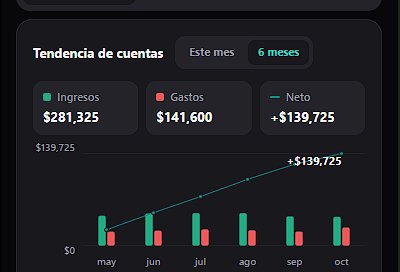
- Accounts trend: a new Income / Expenses / Net row above the chart shows the totals for the selected period, and the Net line now adds up over time, so where it ends is where your month (or last 6 months) stands
- Spending by category: categories that shared nearly the same color (like several green ones) now get distinct colors in the chart, so every slice is easy to tell apart
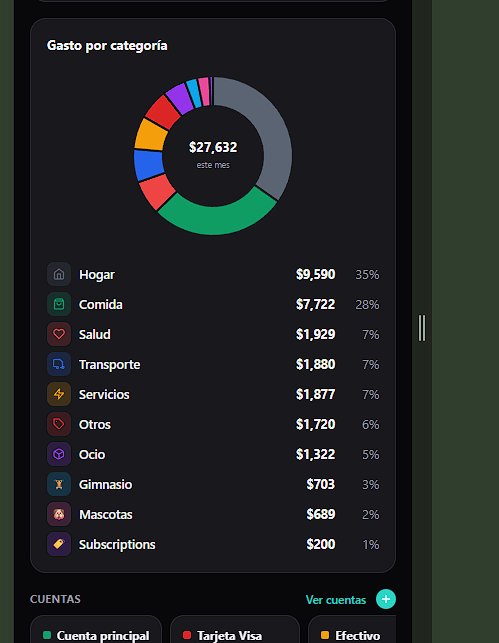
- New custom categories now start on a color you aren't already using, instead of always green
- Fixed: after adding an expense from an account's page, the form no longer opens again once it's saved
- Fixed: deleting a custom category now asks for confirmation right under that category, instead of at the bottom of the page where it was easy to miss
October 7, 2026
Safer lists, tidier tasks, and we're on Instagram
A round of fixes and improvements based on your feedback.
- FreshList now asks for confirmation before "Clear List", so a stray tap can't wipe your whole list.
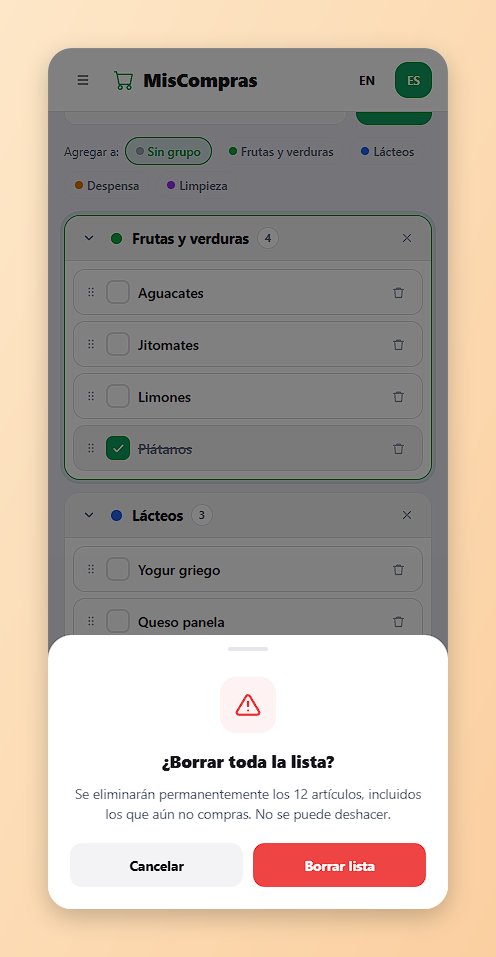
- Clearing the list or the cart now updates the screen right away.
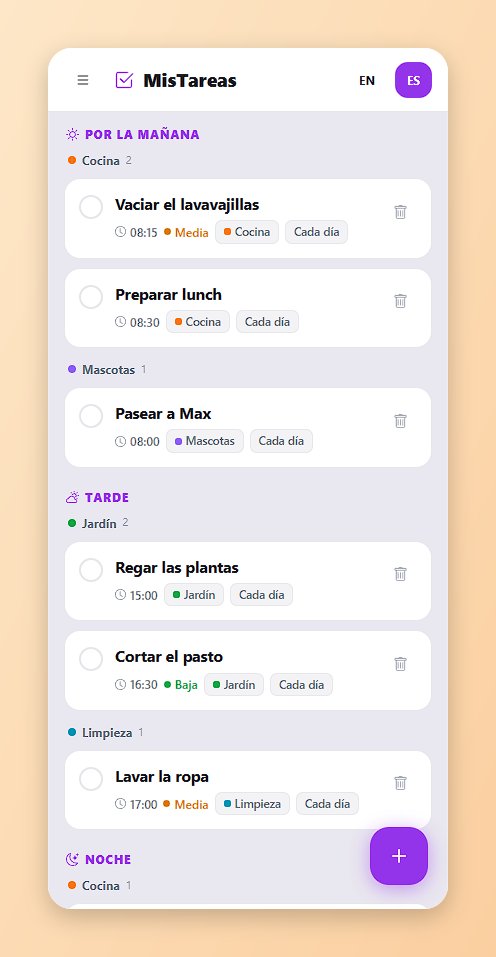
- TaskFlow groups each part of the day (morning, afternoon, evening) by category, so related tasks sit together.
- Spanish pages no longer get mistranslated by the browser (no more "Premiado").
- Follow us on Instagram @domus_life for tips, news and what's coming next.

October 5, 2026
Share diet plans and recipes in PlateMate
Send a diet plan, a recipe, or a whole recipe category to anyone with one link — they get their own copy, ready to use.
- Share a diet plan from Diet plans: the person who opens the link picks who it's for and saves it — the full week of meals is added to their calendar in one step
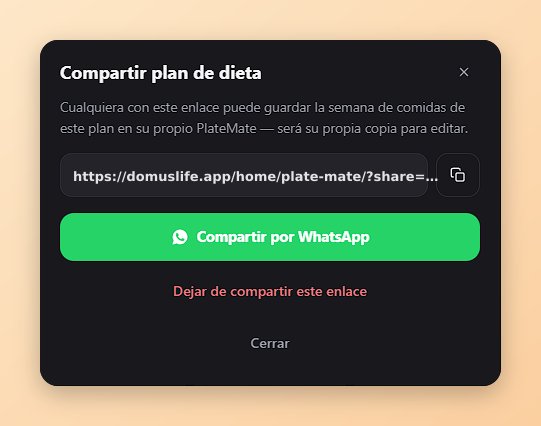
- Share a single recipe from its card, or a whole category (like "Mexican food" or "Keto") from the new Share button in your recipe box
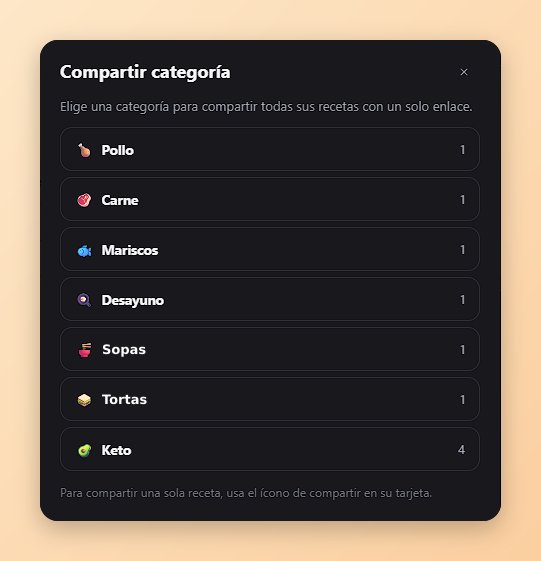
- Works across homes: share with family, friends, or a client — even if they don't belong to a household
- What they save is theirs: ingredients, instructions, category and photo are copied, so they can edit or delete it freely, and your originals never change
- Stop sharing anytime: turning a link off just stops new saves; copies already saved stay put
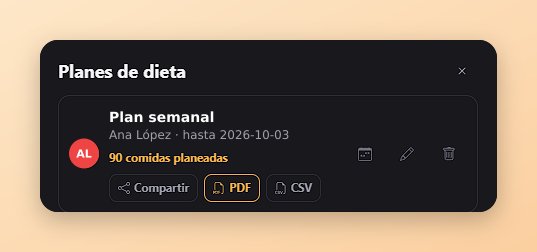
- New: export a diet plan's week as a one-page PDF (Monday to Sunday, every meal) — handy to print or send
- Fixed: on phones, the Remove button in the household members list no longer runs off the screen
October 5, 2026
Task list for everyone, a longer day strip, and a credit card fix
A round of improvements to TaskFlow and Easy Budget, plus a fresh look at what Domus can do.
- TaskFlow's task list is now open to everyone: owners and admins see all household tasks, everyone else sees "My tasks" (assigned to or created by you)
- The day strip on mobile now covers 30 days back and 90 days ahead
- Fixed: paying a credit card from another account now lowers what you owe, instead of increasing it
- Credit cards now ask for the "Amount owed" when you set them up, so balances show correctly from the start
- The welcome screens now show categories, streaks and money accounts, and you can swipe between them
October 5, 2026
Date & time pickers that work on every Android phone
On some Android phones (including Samsung), tapping a date or time field did nothing. Now those fields open the app's own picker on every Android phone.
- New calendar for picking dates: tap a day and you're done, with a quick "Today" button
- New scrolling wheels for picking times, in 12-hour or 24-hour format depending on your language
- Works everywhere you pick a date or time: PillPal, TaskFlow, Expenses, Accounts, PlateMate and your Profile
- One-time medications in PillPal now have separate date and time fields that are easier to fill in
- Fixed: on computers, the time and end date of a new medication sometimes weren't saved
October 5, 2026
Accounts & Income
Track where your money actually lives — personal and shared accounts, income, and a running balance, right inside Easy Budget.
- - New Accounts tab with per-account balances
- - Log income + optional "paid from" link on expenses
- - "Pay card" — pay down a credit card from another account in one step
- - Shared accounts (Premium)
- - Monthly trend, category breakdown, and CSV/PDF export (Premium)
October 1, 2026
TaskFlow Categories, and Progress (Premium)
Organize your tasks by category — and, with Household Premium, turn them into personal streaks and goals.
- - TaskFlow Categories: optional colored categories on tasks (Health, Exercise, Reading, or your own) — free for everyone, with a filter on the day view and a tag on task cards
- - Progress (Premium, new): your personal streak, this week's and this month's completion count, and an 8-week trend per category — private to you, never compared with the rest of your household
- - Optional goals per category (e.g. "Exercise 3 times a week") with a simple progress ring, no points or badges — just a clean streak
- - Fixed: time and date fields couldn't be clicked into or typed on desktop — they now work the same everywhere
September 21, 2026
PlateMate: export diet plans, clearer meal cards
Take your diet plans with you, and read your meals at a glance.
- Export diet plans to CSV: all plans at once, or a single plan from its row
- "Set weekly meals" now opens filled in with the plan's current meals, and saving updates them instead of adding copies
- Meal cards show the full dish name, with the label and member underneath
- The send-to-FreshList button only appears on meals whose recipe has ingredients
September 15, 2026
Meals you type become recipes automatically
Typing a meal name now saves it as a recipe for next time, and clearing a day or week is one tap.
- - Any meal you add by just typing a name (not picking a recipe) is now automatically saved as a recipe you can reuse — typing the same name again reuses it instead of duplicating it.
- - New "Clear day"/"Clear week" buttons on the meal calendar remove everything planned at once instead of one meal at a time.
- - Fixed an error that could happen when deleting a diet plan that still had meals linked to it.
September 11, 2026
PlateMate mobile polish
A few small fixes to make planning meals on your phone smoother.
- The header, week navigation, and filters now stay in place while you scroll through the day list instead of scrolling away.
- Opening PlateMate jumps straight to today instead of always starting at Monday.
- Fixed the page scrolling behind an open meal or diet-plan pop-up.
September 10, 2026
Priority reminders and diet-plan CSV import
High-priority task reminders now show a red marker and stay on screen until you dismiss them; medium-priority gets a yellow marker. Diet plans (and the weekly meal grid) are no longer a Premium feature — everyone can use them. New: import a whole diet plan and its week of meals from a CSV file, with a downloadable sample template.
- High-priority task reminders now show a red marker and stay on screen until you dismiss them; medium-priority gets a yellow marker.
- Diet plans (and the weekly meal grid) are no longer a Premium feature — everyone can use them.
- New: import a whole diet plan and its week of meals from a CSV file, with a downloadable sample template.
September 7, 2026
Introducing PlateMate — plan your week's meals
A new way to plan meals as a household: lay out your week, keep a recipe box, and send any recipe's ingredients straight to FreshList in one tap.
- - "Plan any number of meals per day — breakfast, lunch, dinner, snacks, whatever fits your week."
- - "Save recipes with ingredients and instructions, then send them to FreshList with one tap."
- - "Premium: assign meals to a specific household member, track diet plans with an end date, and quickly plan a whole week from a nutritionist's plan."
- - "Premium: import and export your recipe box as a CSV file."
September 7, 2026
Fixed medication reminders after your prescription ends
PillPal was still sending reminders — and alerting other household members about missed doses — for medications whose end date had already passed. That's fixed now.
- Reminders and missed-dose alerts now stop as soon as a medication's end date passes.
September 4, 2026
Bug fixes & polish
Smaller fixes and consistency improvements across the app.
- TaskFlow: new admin view for owners/admins to see and manage every household task in one place
- Fixed medication and task time pickers looking broken or blank on iPhone (Safari)
- Refreshed PillPal's forms to match the rest of the app's look and feel
September 3, 2026
Everything Domus can do today
A quick tour of what's shipped so far — going forward, updates here will be per release instead of one big catch-up.
- - PillPal: medication schedules (daily, specific days, or one-time), push reminders, and missed-dose alerts to housemates
- - FreshList: shared grocery lists with custom groups, drag-and-drop ordering, and real-time sync across devices
- - TaskFlow: recurring chores, task assignment, private tasks, per-task reminders, and an admin view to manage every household task in one place
- - Expenses: bill splitting with equal or custom shares, receipt photos, multi-currency support, private expenses, and one-click settle-up
- - Household: shareable invite links, owner/admin/member/viewer roles, and a read-only viewer mode
- - Household Premium: task assignment, missed-dose escalation, receipt attachments, and CSV/PDF export across PillPal, TaskFlow, and Expenses
- - Full bilingual support (English/Spanish) throughout the app
- - Installable as a PWA with push notifications