Recent updates and features shipped to Domus.
November 20, 2026
Care for the people (and pets) you love
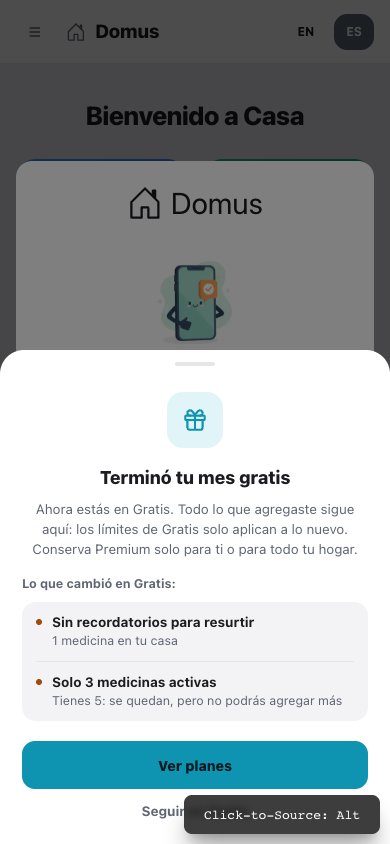
Add medicines for a parent, a child or a pet, with no account or phone needed.
- When adding a medicine, choose who it's for: you, someone in your household, or a person or pet you care for.

- You get the reminders, and anyone at home can mark the dose.
- If a dose is missed, the whole family hears about it.
November 11, 2026
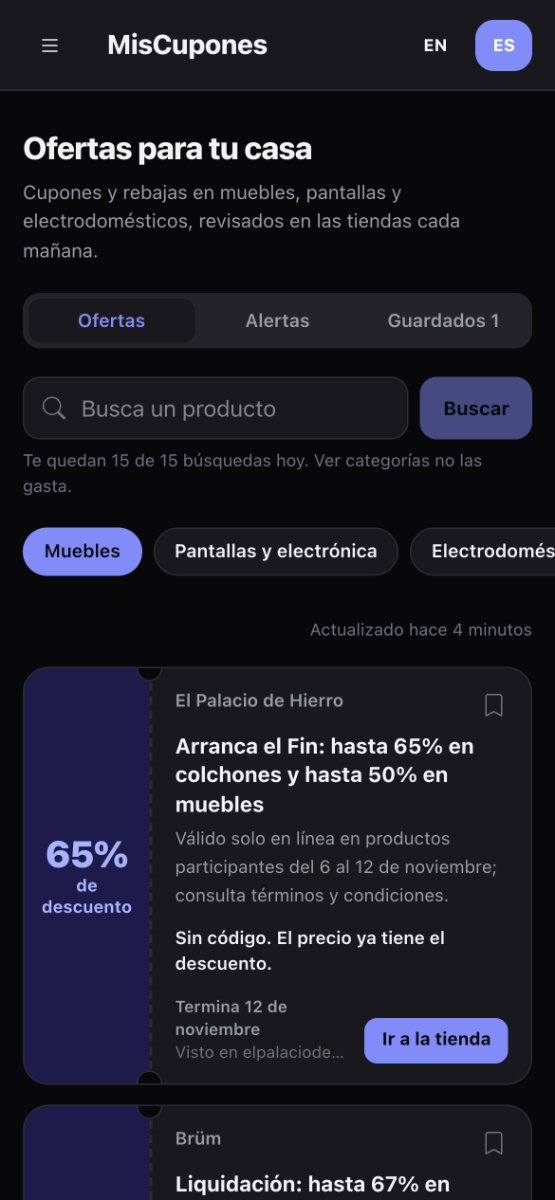
DealDrop: deals for your home
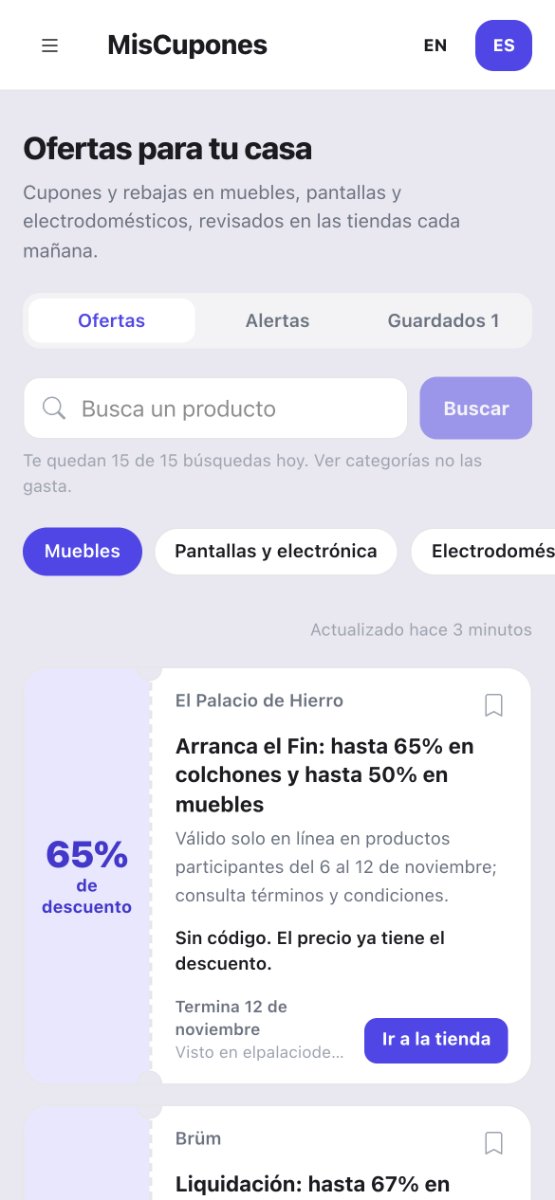
Coupons and sales on furniture, TVs, appliances and more, found on store websites every morning, for the stores where you shop.
- Browse deals by category: furniture, TVs & electronics, appliances, home improvement, decor and kitchen
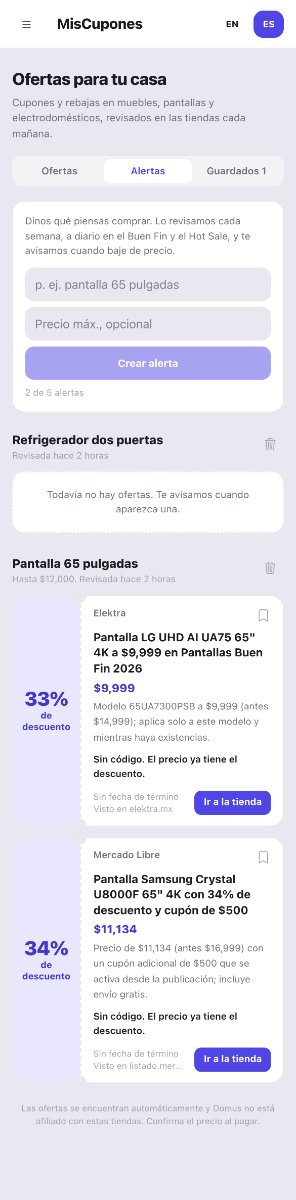
- Search for any product and see current coupons and sales, with the code ready to copy
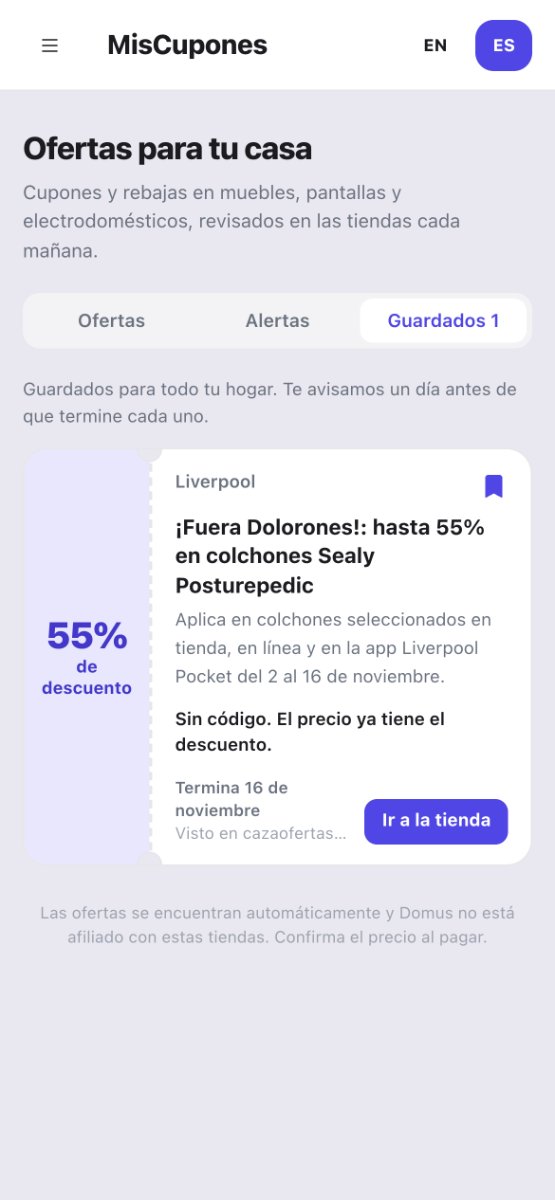
- Save coupons for your whole household and get a reminder the day before they end
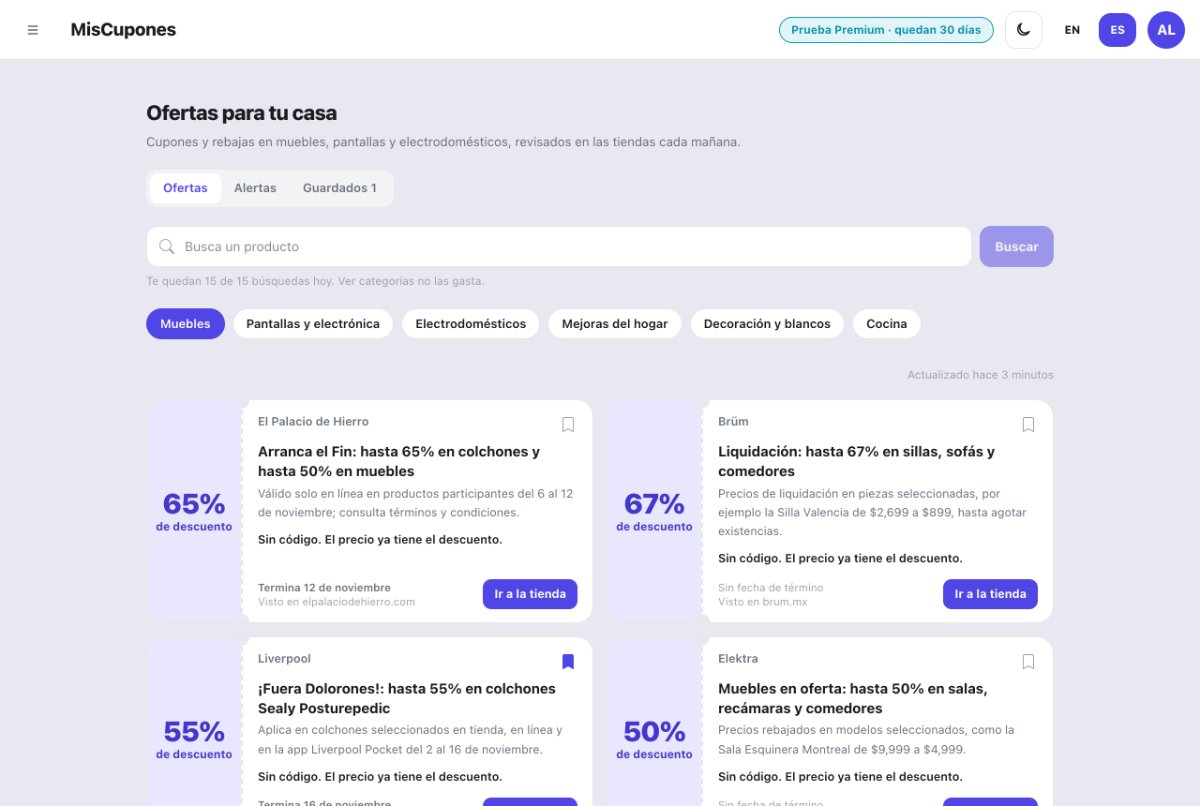
- Premium: set deal alerts for up to 5 things you plan to buy, with an optional price limit, and get notified when they go on sale
October 27, 2026
Domus on your computer, now full-screen
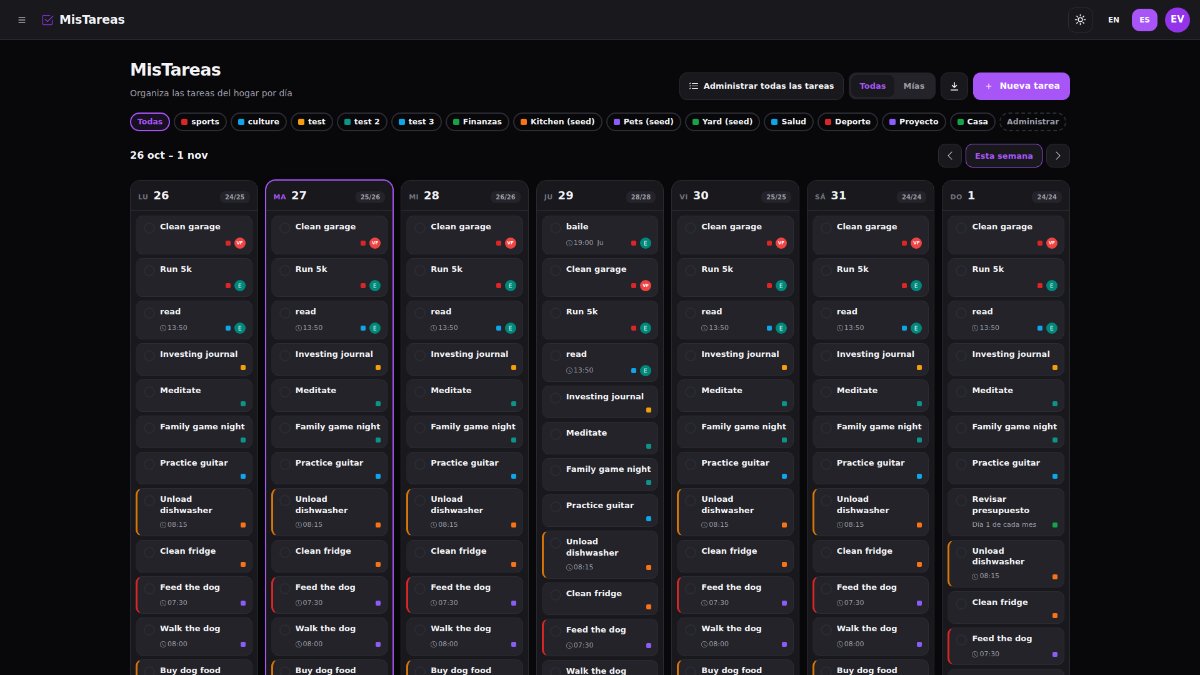
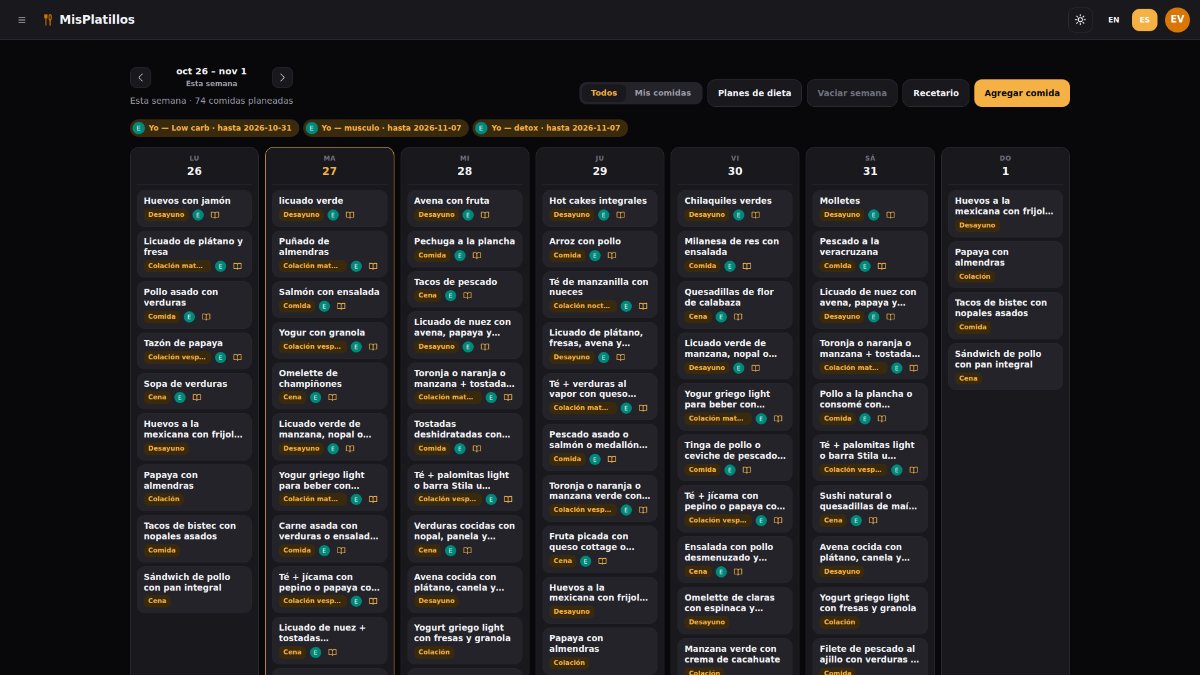
TaskFlow, PlateMate and PillPal now use the full width of your screen. And you can open a recipe straight from your meal plan.
- 1. **TaskFlow at a glance.** The week fills the screen: every task shows its full name, with the time, category and who it's assigned to underneath. Weekday tasks read "Mon–Fri" instead of five separate days, and the delete button only shows up on hover.
- 2. **More room in PlateMate.** The week's columns are wider, so meal names and labels no longer get cut off.
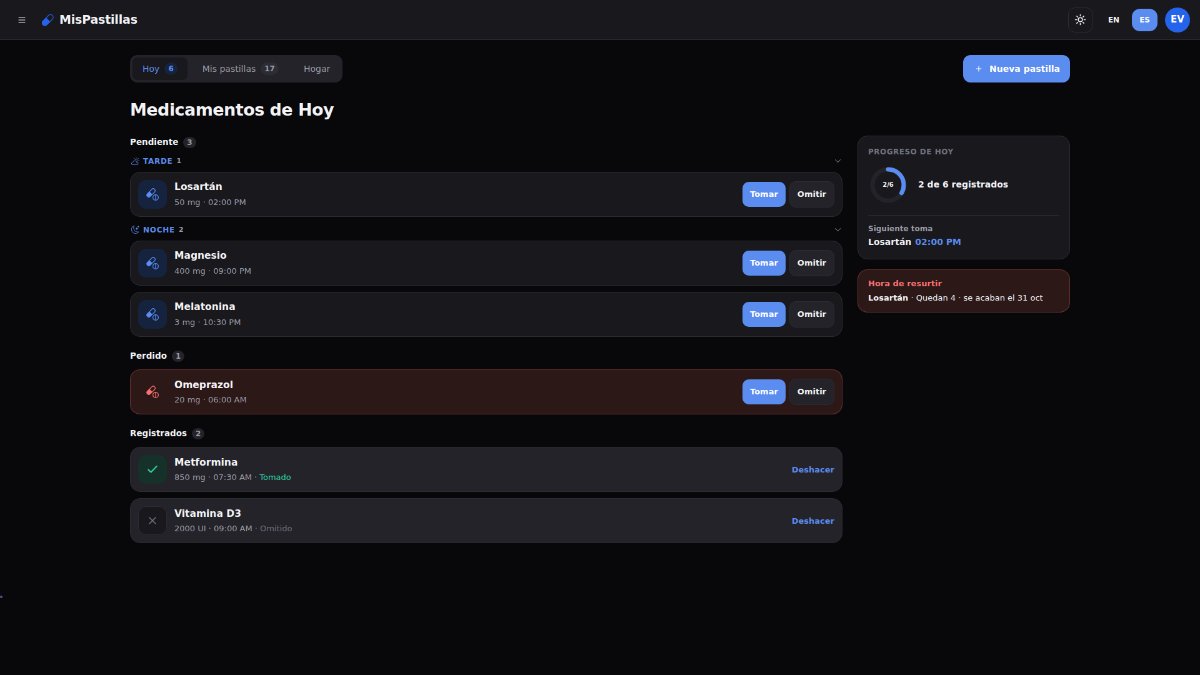
- 3. **PillPal gets its own dashboard.** Today's doses on the left; on the right, your progress for the day, the next dose, and a heads-up when something is running low. "New pill" now sits at the top, next to the tabs.
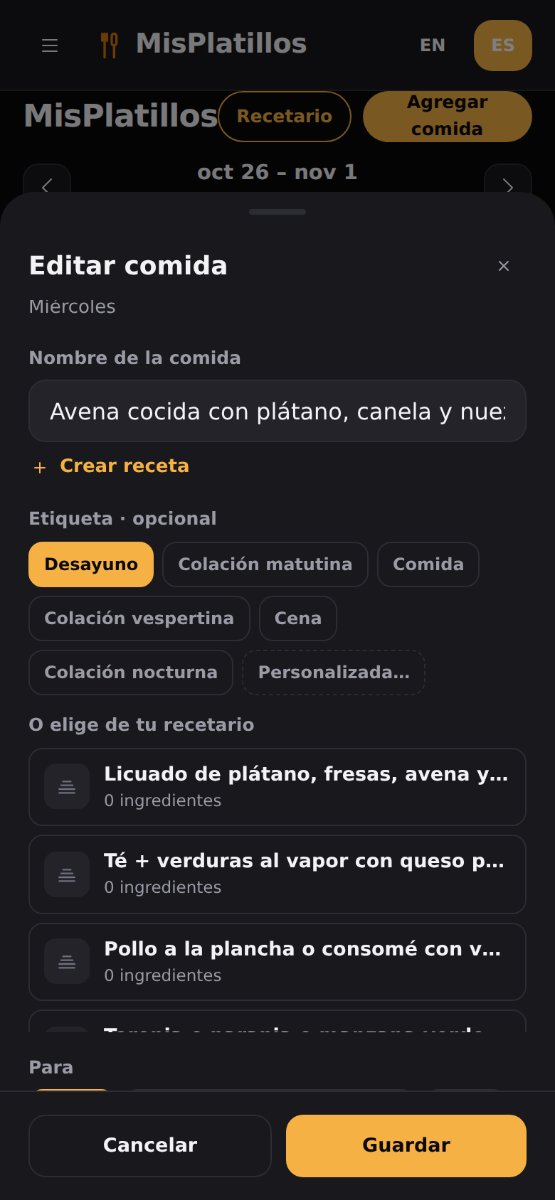
- 4. **Open the recipe from your plan.** Tap the book icon on any meal (or "View recipe" while editing it) to see the ingredients and instructions without leaving the week. From there, send it to FreshList or edit it. If the meal has no recipe yet, "Create recipe" opens a new one with the name already filled in.
October 27, 2026
Import your bank statement, and make Domus yours
Upload a statement or a CSV and your transactions land straight in the account. Plus new profile preferences and your AI reads at a glance.
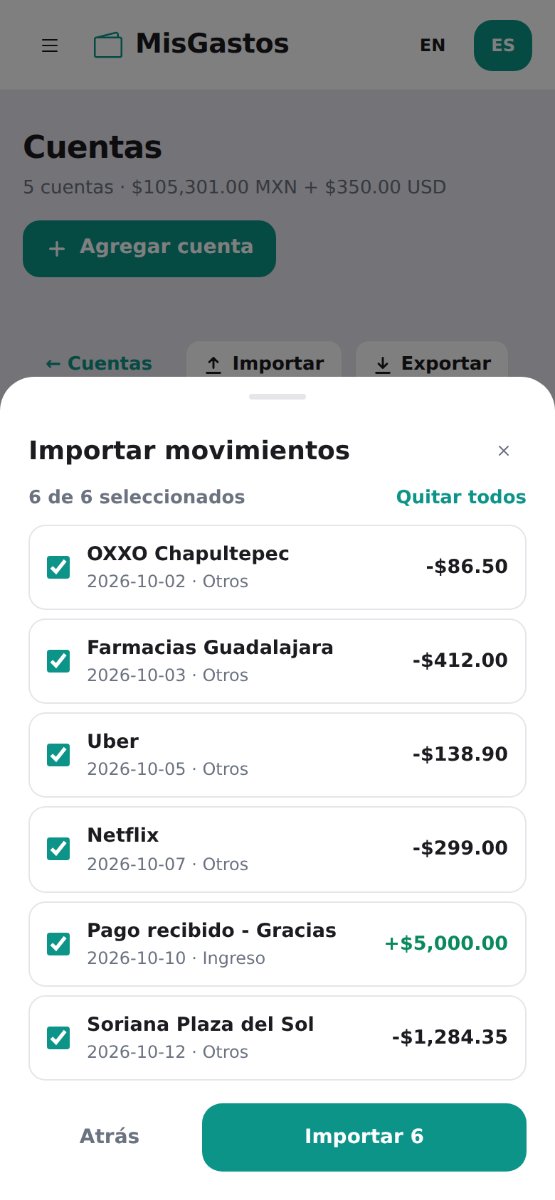
- 1. **Import transactions into an account.** Scan a photo or PDF of your statement, or upload your bank's CSV. Review the list, uncheck anything you don't want, and you're done: charges become expenses and deposits become income. Importing the same file twice never creates duplicates.
- 2. **Preferences in your profile.** Pick your language and theme (saved to your account, so they follow you to any phone), the account pre-selected on every new expense, whether new expenses start as just yours or split with the whole household, and download all your data as a ZIP.
- 3. **Today's AI reads.** Billing now shows how many photos the AI has read today and when the limit resets.
- 4. **Scan first.** In "New expense" the receipt is now at the top: snap it and the AI fills in the amount, description and category. If it can't read it, it now tells you why. You can also edit any expense by tapping it from its account.
October 26, 2026
List your services on HandyBook, free forever
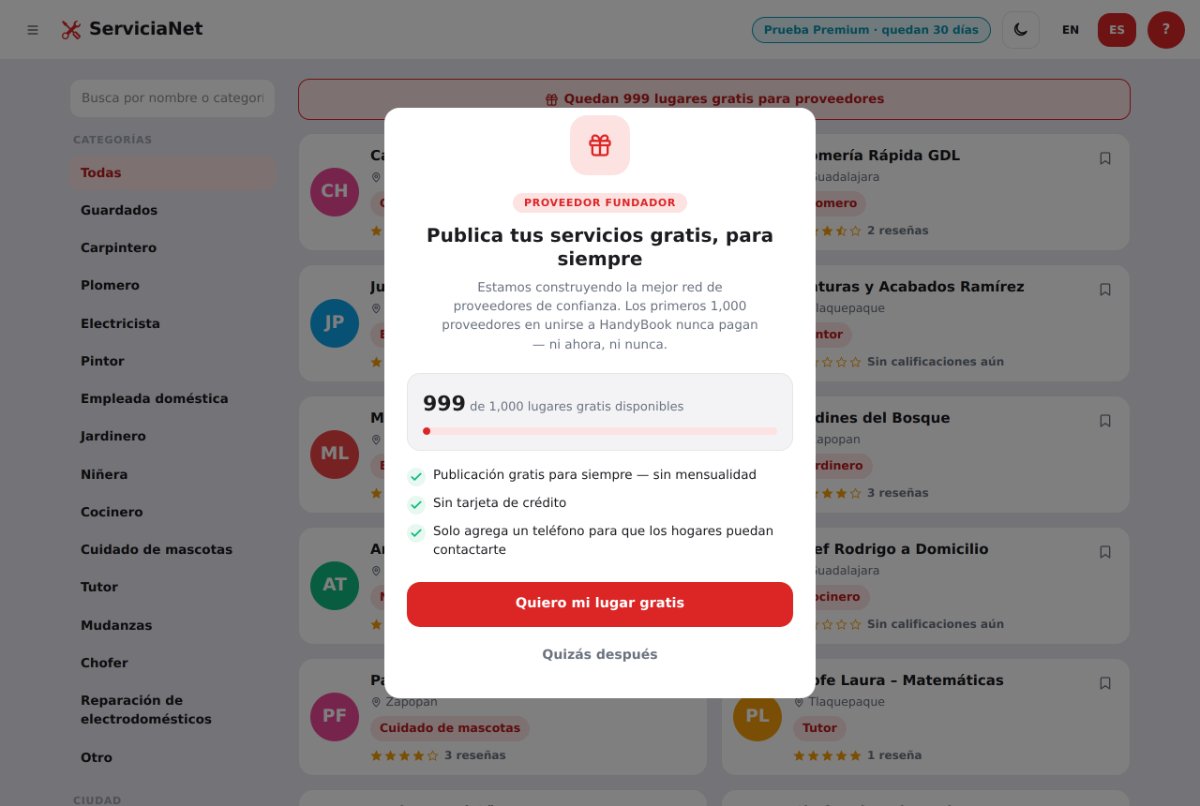
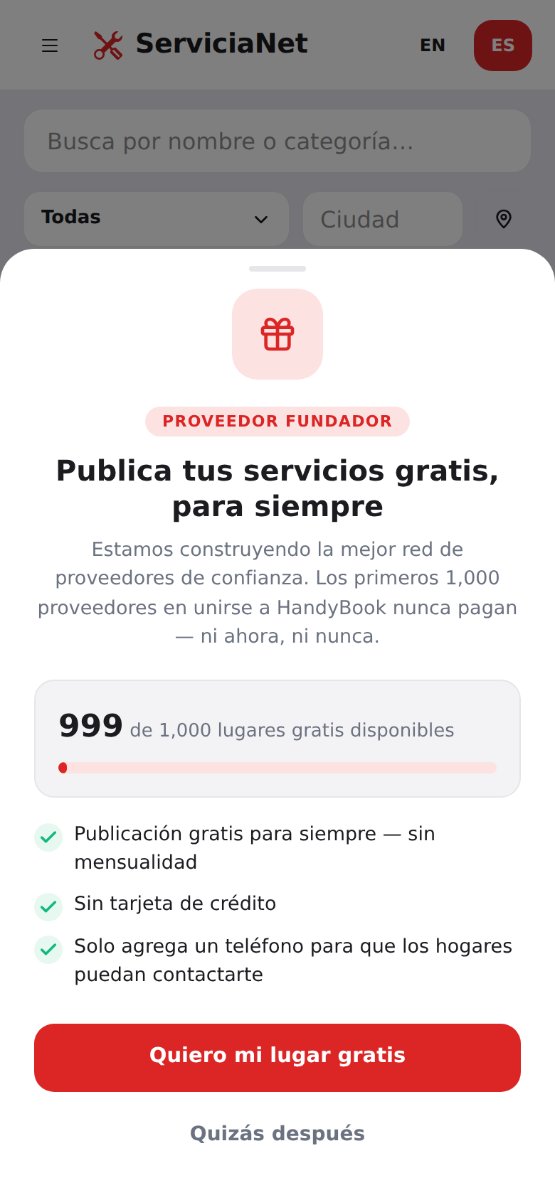
We're growing Domus's network of trusted providers. The first 1000 providers to join HandyBook never pay for their listing.
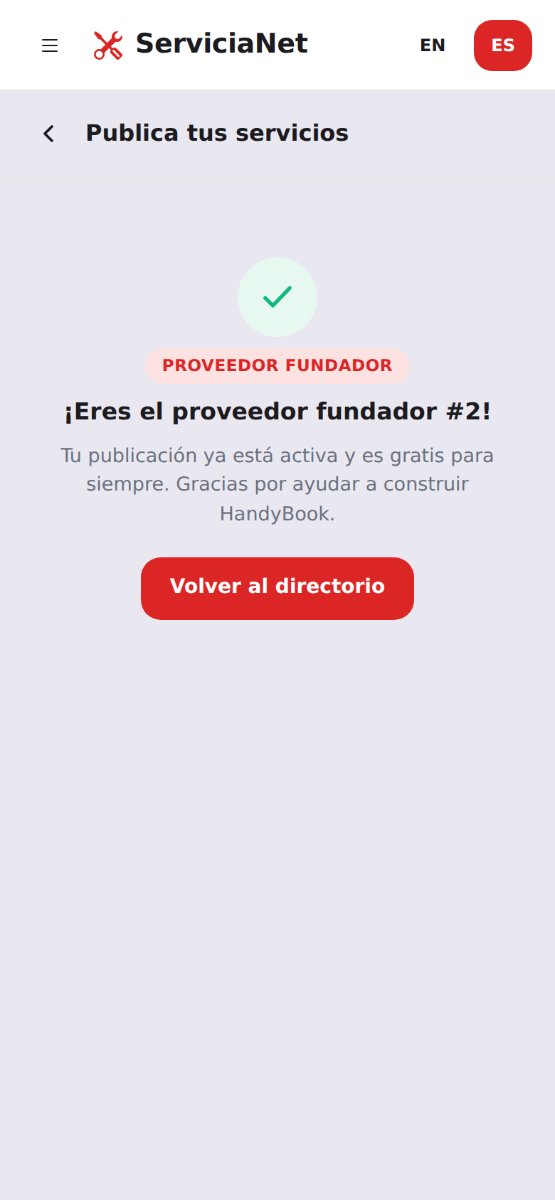
- The first 1000 providers get a free listing, forever, with no monthly fee
- No credit card needed: your listing goes live as soon as you publish
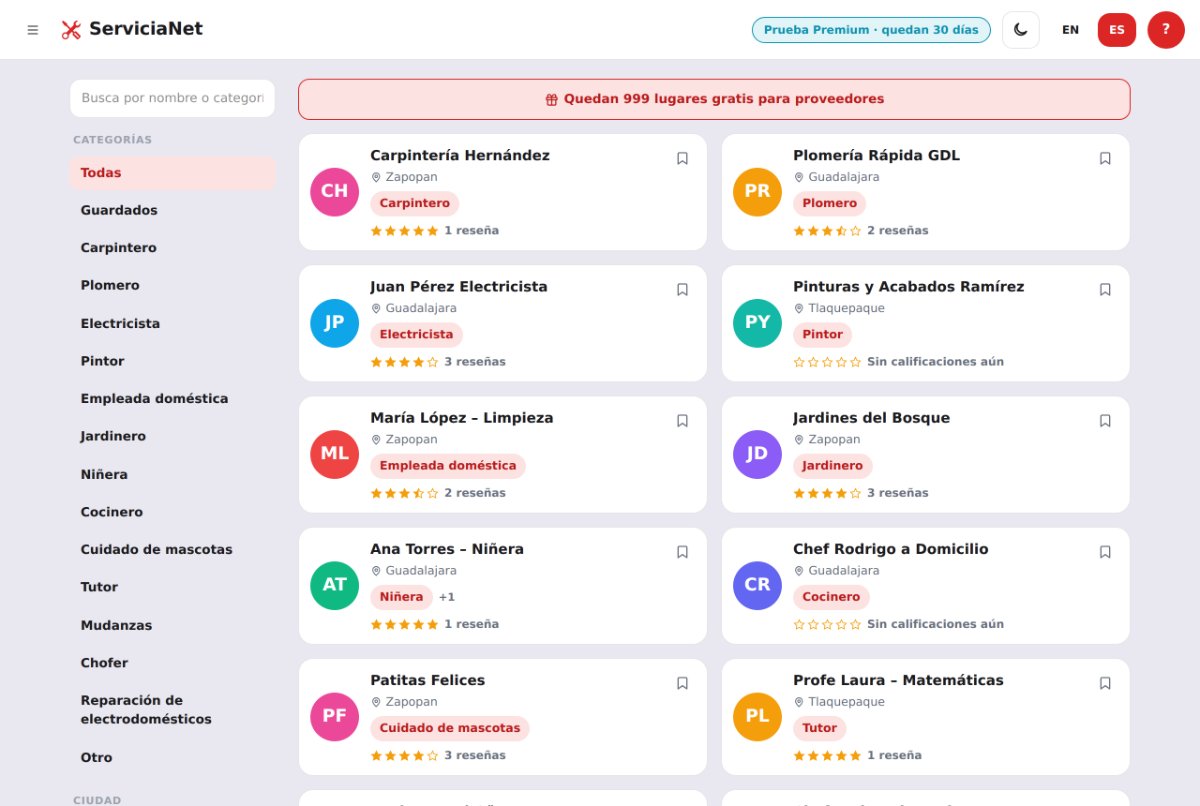
- A live counter in HandyBook shows how many free spots are left
- A phone number is now required, so homes can always reach you
October 20, 2026
New plans, a free month of Premium, and AI scans across Domus
Premium Solo is here for one person, and every account gets a free month of Household Premium. You can also fill in expenses, groceries, medications, recipes and diet plans just by taking a photo.
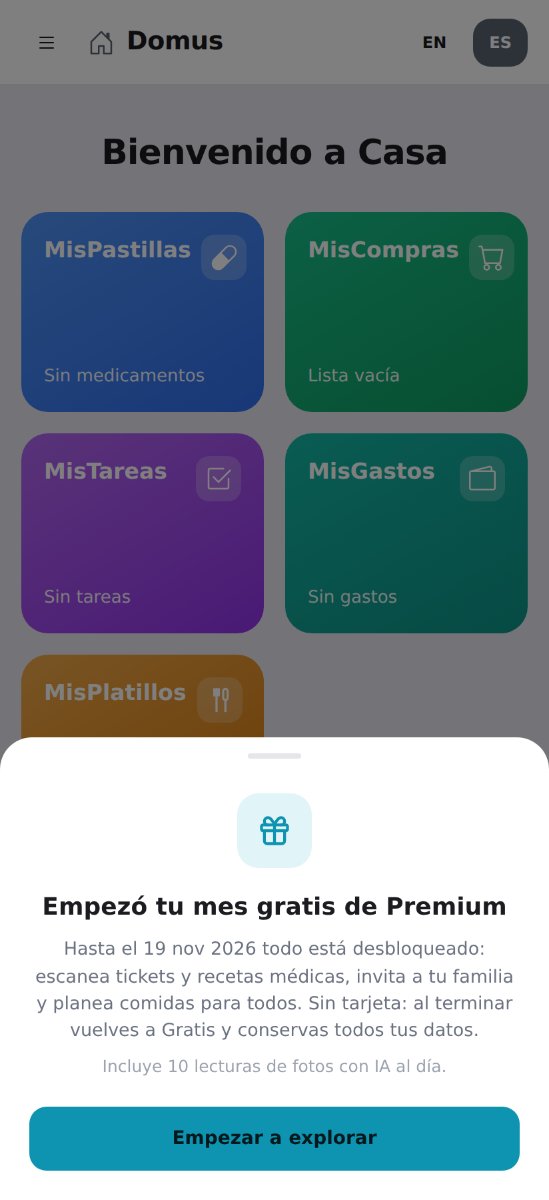
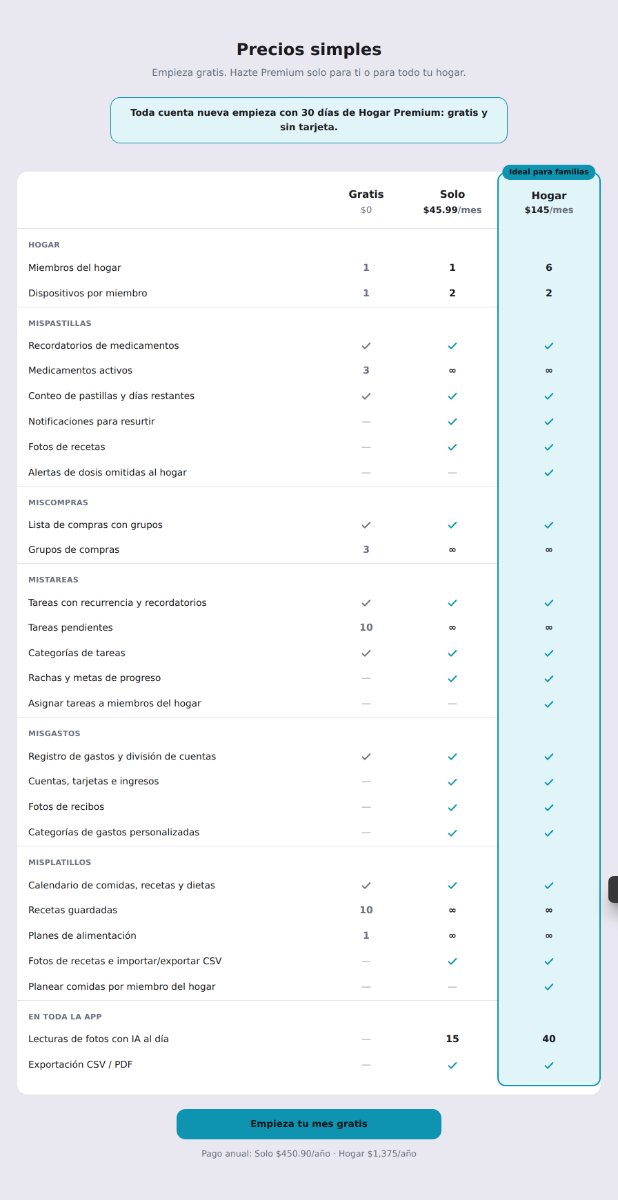
- 1. **A free month of Household Premium.** Every account, new or existing, gets 30 days of Household Premium once. No card needed, nothing to cancel. We'll remind you 7 days and 1 day before it ends, and you keep everything you added.
- 2. **New plan: Premium Solo.** Every Premium feature for one person, on 2 devices, for $2.49/mo or $24.90/yr. Household Premium still covers up to 6 members for $7.99/mo or $74.70/yr. Switch plans anytime from Billing; you only pay, or get credited, the difference.
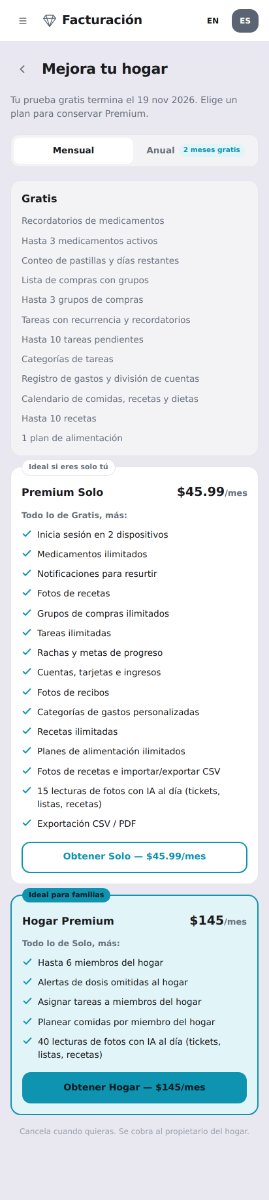
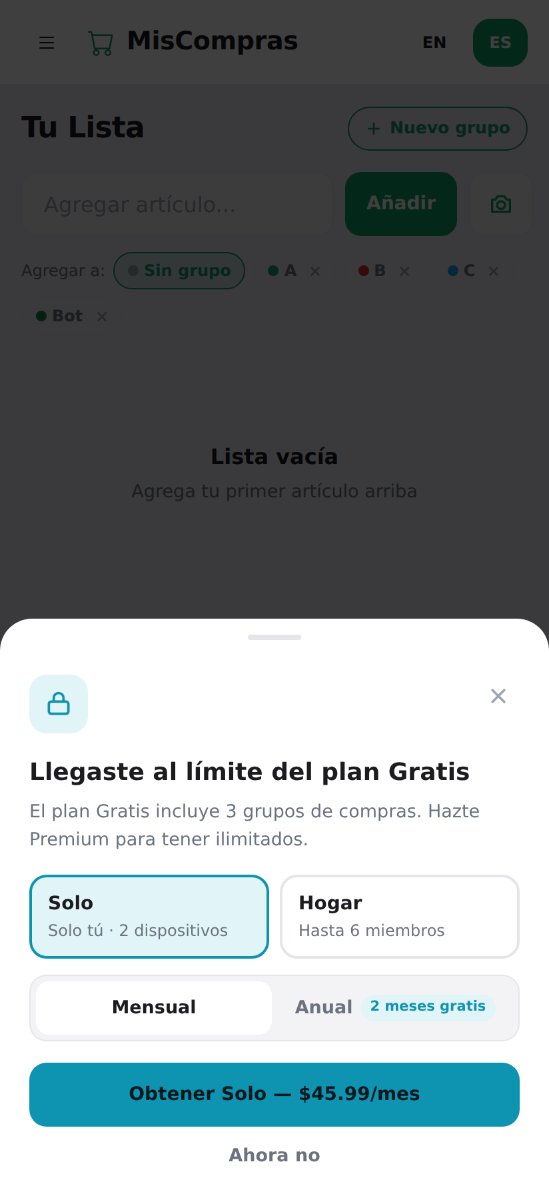
- 3. **A Free plan with clear limits.** Free includes 3 active medicines, 10 open tasks, 3 grocery groups, 10 recipes and 1 diet plan. Everything you already have stays; limits only apply to new items.
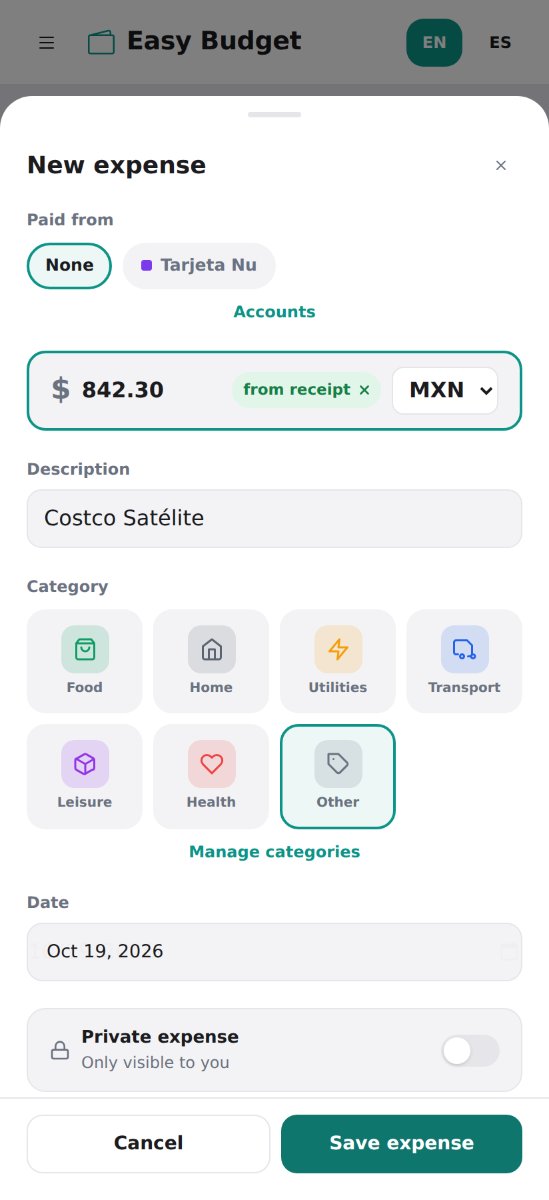
- 4. **Easy Budget: scan your receipts (Premium).** Snap a receipt and the amount, currency and store fill themselves in. You can also send the photo over WhatsApp and review it in Domus before saving.
- 5. **FreshList from a photo (Premium).** Snap a handwritten list, a recipe or your pantry, and Domus suggests the items so you choose which to add.
- 6. **PillPal from your prescription (Premium).** When adding a medication, snap the prescription or the box and each medicine fills in with its dose, times and duration. Always check it against your prescription before saving.
- 7. **PlateMate: scan recipes (Premium).** Snap a recipe and the name, ingredients and steps fill in. Over WhatsApp you can also send a recipe's photo, text or link.
- 8. **Diet plans from your nutritionist (Premium).** Scan the plan as a photo or PDF, in the app or over WhatsApp, and it becomes your week of meals. If the plan includes recipes, those are saved too. You can now also add notes to a plan, like "Keto: avoid sugar".
- 9. **More reliable.** The app no longer freezes when its connection to the server drops; if something goes wrong, you'll see a clear page to try again.
- 10. **Your photos stay private.** Photos are only read to fill in the form; nothing is saved until you tap Save. Receipt photos sent over WhatsApp that you never save are deleted after 7 days.
October 16, 2026
Calmer drag & drop, receipts from your gallery, and encrypted data
Reordering no longer happens by accident while scrolling, you can attach receipts from your photos, and your most sensitive data is now stored encrypted.
- 1. **PlateMate: no more accidental moves.** Meals reorder only within their own day and no longer move while you scroll on your phone. Drag them by the ⋮⋮ handle. To move a meal to another day, edit it.
- 2. **FreshList: safer scrolling.** We fixed a case where scrolling could move items around.
- 3. **Receipts and prescriptions from your gallery.** Choose "Take photo" or "Choose file" to attach a photo you already have.
- 4. **TaskFlow: title first.** When you create or edit a task, the title is the first thing you see.
- 5. **Your data, encrypted.** Medication names and doses, expense and income descriptions, account details, and receipt and prescription photos are stored encrypted (AES-256). Even if someone got hold of a copy of the database, they couldn't read them.
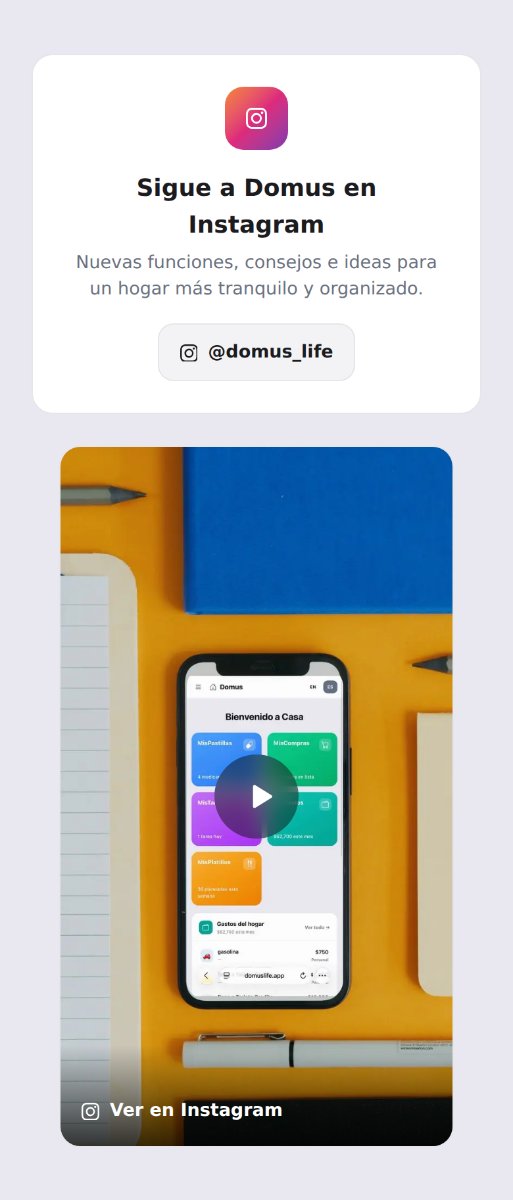
- 6. **Now on Instagram.** Watch our reel on the home page and follow @domus_life.
October 13, 2026
Faster recipe cleanup and real exchange rates on expenses
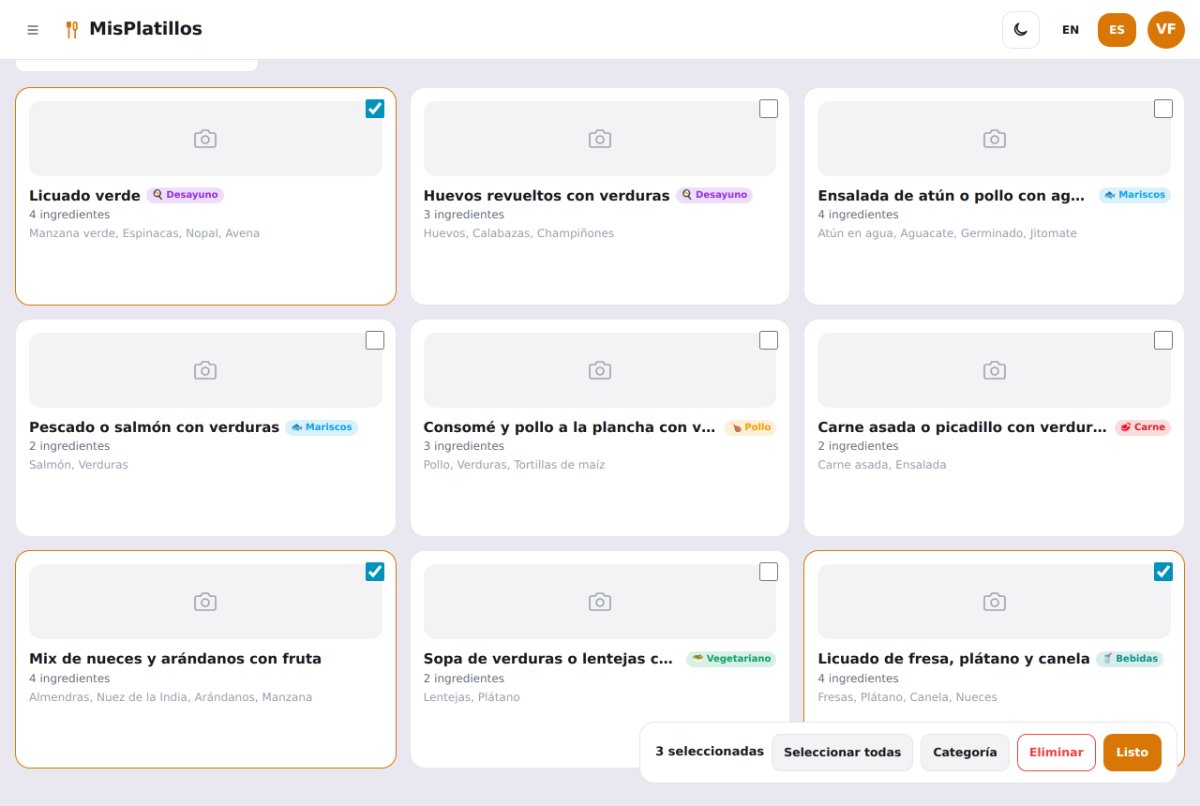
Organize your recipe box in bulk, and record what a foreign-currency expense actually cost you.
- Select several recipes at once to change their category or delete them in one go.
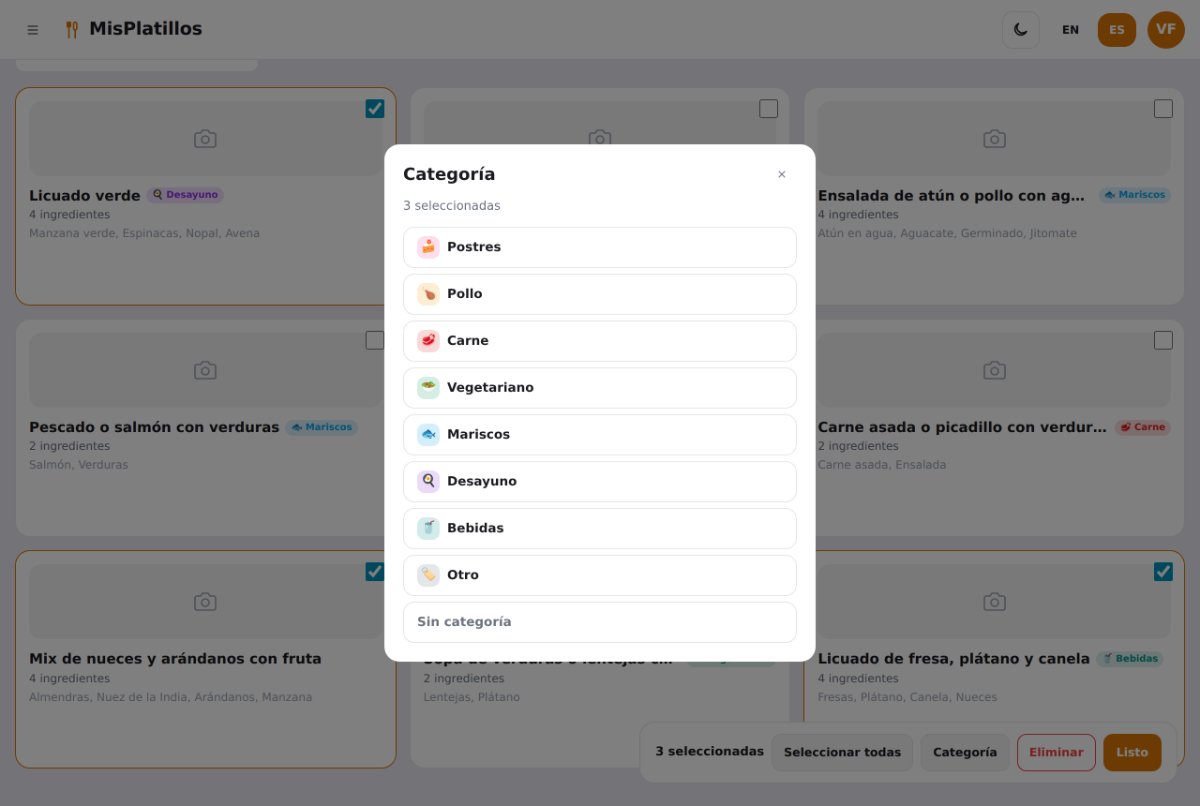
- Delete a recipe right from its card, or tap its category tag to change it.
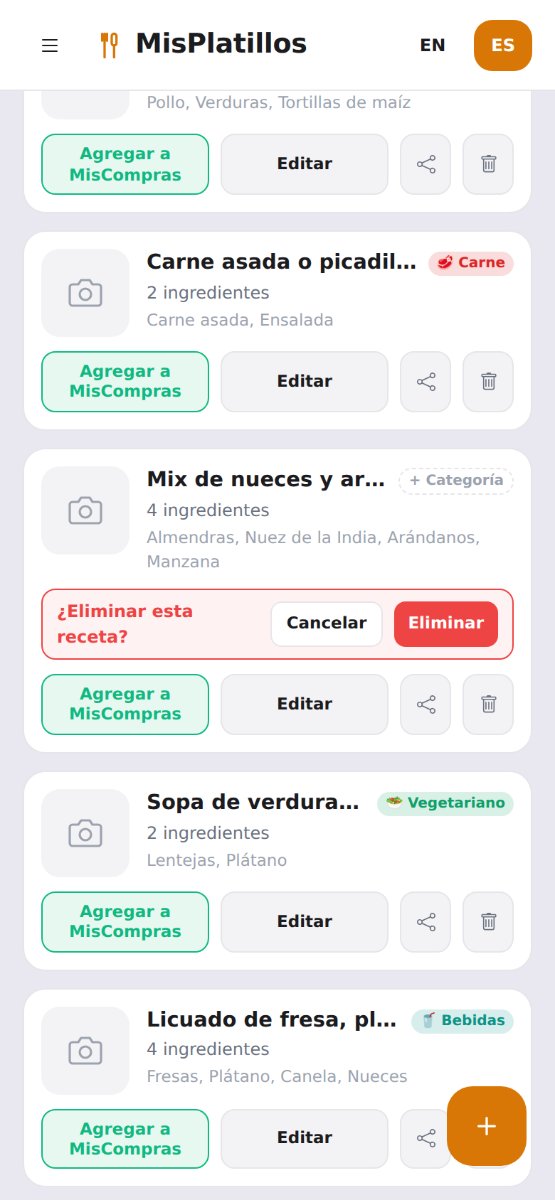
- Importing recipes from CSV now fills in empty recipes with the same name (like the ones created when you import a diet plan first) instead of skipping them.
- Paid in dollars but charged in pesos (or the other way around)? Add the actual amount, and totals, balances and account balances use that real rate instead of the household rate.
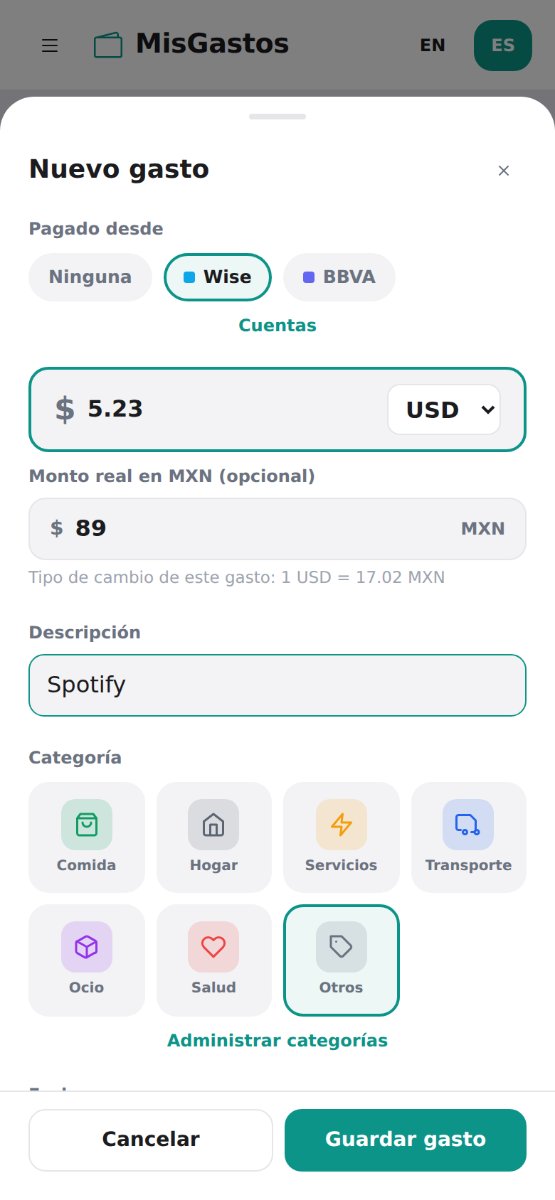
- "Paid from" now comes first when adding an expense, and picking an account switches the amount to that account's currency.
October 7, 2026
Clearer account charts and more colorful categories
Your accounts trend now tells you where the month actually stands, and spending by category is easier to read at a glance.
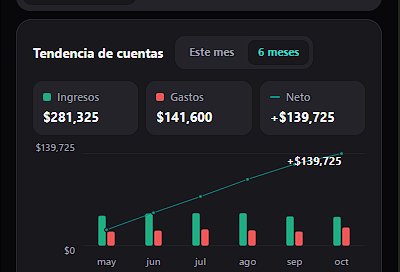
- Accounts trend: a new Income / Expenses / Net row above the chart shows the totals for the selected period, and the Net line now adds up over time, so where it ends is where your month (or last 6 months) stands
- Spending by category: categories that shared nearly the same color (like several green ones) now get distinct colors in the chart, so every slice is easy to tell apart
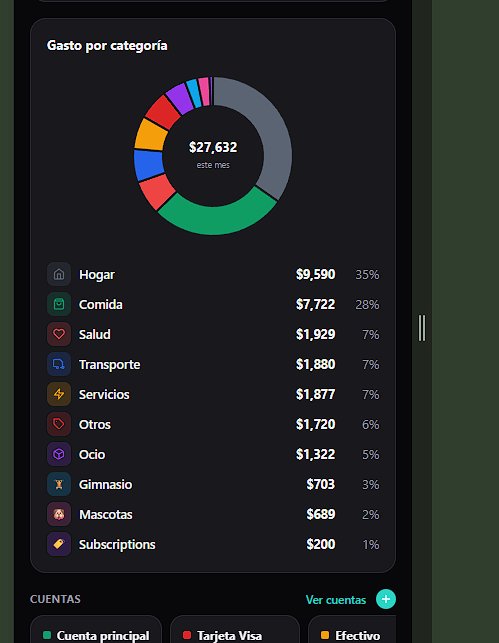
- New custom categories now start on a color you aren't already using, instead of always green
- Fixed: after adding an expense from an account's page, the form no longer opens again once it's saved
- Fixed: deleting a custom category now asks for confirmation right under that category, instead of at the bottom of the page where it was easy to miss
October 7, 2026
Safer lists, tidier tasks, and we're on Instagram
A round of fixes and improvements based on your feedback.
- FreshList now asks for confirmation before "Clear List", so a stray tap can't wipe your whole list.
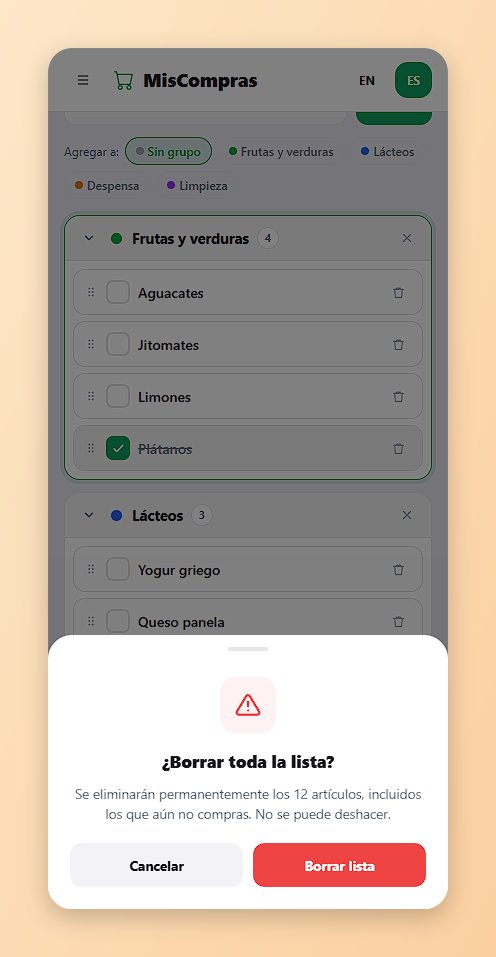
- Clearing the list or the cart now updates the screen right away.
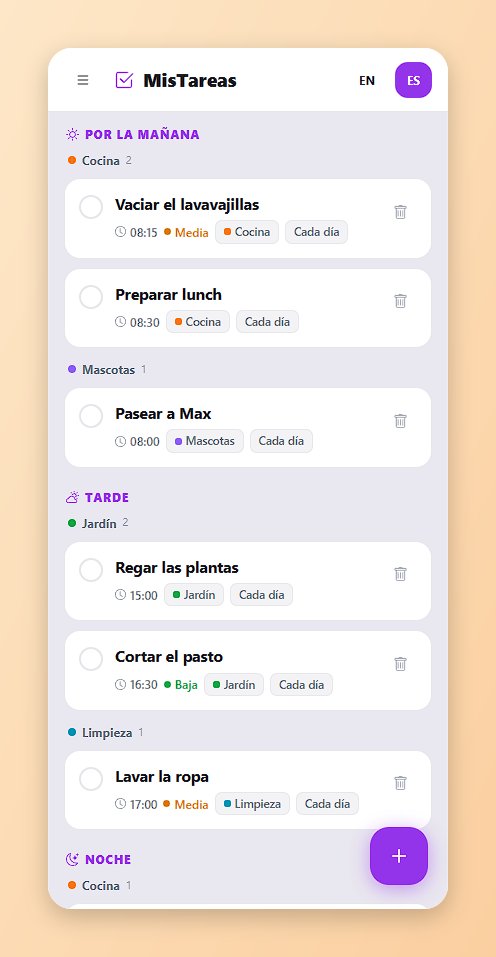
- TaskFlow groups each part of the day (morning, afternoon, evening) by category, so related tasks sit together.
- Spanish pages no longer get mistranslated by the browser (no more "Premiado").
- Follow us on Instagram @domus_life for tips, news and what's coming next.

October 5, 2026
Share diet plans and recipes in PlateMate
Send a diet plan, a recipe, or a whole recipe category to anyone with one link — they get their own copy, ready to use.
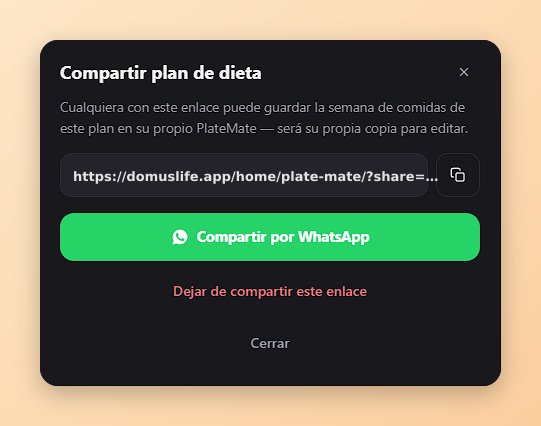
- Share a diet plan from Diet plans: the person who opens the link picks who it's for and saves it — the full week of meals is added to their calendar in one step
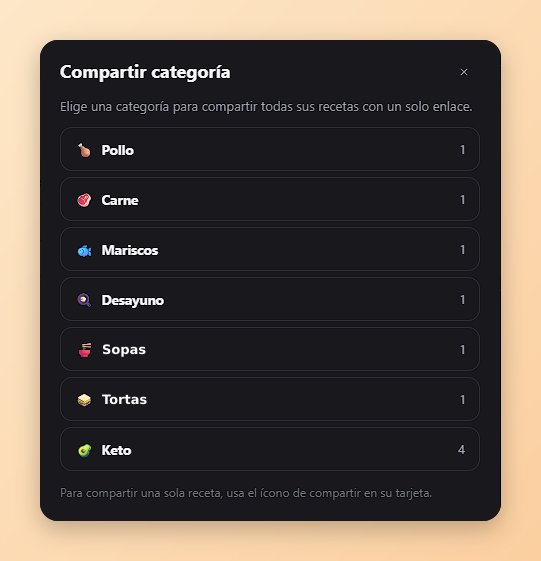
- Share a single recipe from its card, or a whole category (like "Mexican food" or "Keto") from the new Share button in your recipe box
- Works across homes: share with family, friends, or a client — even if they don't belong to a household
- What they save is theirs: ingredients, instructions, category and photo are copied, so they can edit or delete it freely, and your originals never change
- Stop sharing anytime: turning a link off just stops new saves; copies already saved stay put
- New: export a diet plan's week as a one-page PDF (Monday to Sunday, every meal) — handy to print or send
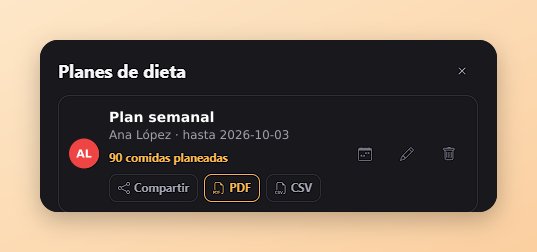
- Fixed: on phones, the Remove button in the household members list no longer runs off the screen
October 5, 2026
Task list for everyone, a longer day strip, and a credit card fix
A round of improvements to TaskFlow and Easy Budget, plus a fresh look at what Domus can do.
- TaskFlow's task list is now open to everyone: owners and admins see all household tasks, everyone else sees "My tasks" (assigned to or created by you)
- The day strip on mobile now covers 30 days back and 90 days ahead
- Fixed: paying a credit card from another account now lowers what you owe, instead of increasing it
- Credit cards now ask for the "Amount owed" when you set them up, so balances show correctly from the start
- The welcome screens now show categories, streaks and money accounts, and you can swipe between them
October 5, 2026
Date & time pickers that work on every Android phone
On some Android phones (including Samsung), tapping a date or time field did nothing. Now those fields open the app's own picker on every Android phone.
- New calendar for picking dates: tap a day and you're done, with a quick "Today" button
- New scrolling wheels for picking times, in 12-hour or 24-hour format depending on your language
- Works everywhere you pick a date or time: PillPal, TaskFlow, Expenses, Accounts, PlateMate and your Profile
- One-time medications in PillPal now have separate date and time fields that are easier to fill in
- Fixed: on computers, the time and end date of a new medication sometimes weren't saved
October 5, 2026
Accounts & Income
Track where your money actually lives — personal and shared accounts, income, and a running balance, right inside Easy Budget.
- - New Accounts tab with per-account balances
- - Log income + optional "paid from" link on expenses
- - "Pay card" — pay down a credit card from another account in one step
- - Shared accounts (Premium)
- - Monthly trend, category breakdown, and CSV/PDF export (Premium)
October 1, 2026
TaskFlow Categories, and Progress (Premium)
Organize your tasks by category — and, with Household Premium, turn them into personal streaks and goals.
- - TaskFlow Categories: optional colored categories on tasks (Health, Exercise, Reading, or your own) — free for everyone, with a filter on the day view and a tag on task cards
- - Progress (Premium, new): your personal streak, this week's and this month's completion count, and an 8-week trend per category — private to you, never compared with the rest of your household
- - Optional goals per category (e.g. "Exercise 3 times a week") with a simple progress ring, no points or badges — just a clean streak
- - Fixed: time and date fields couldn't be clicked into or typed on desktop — they now work the same everywhere
September 21, 2026
PlateMate: export diet plans, clearer meal cards
Take your diet plans with you, and read your meals at a glance.
- Export diet plans to CSV: all plans at once, or a single plan from its row
- "Set weekly meals" now opens filled in with the plan's current meals, and saving updates them instead of adding copies
- Meal cards show the full dish name, with the label and member underneath
- The send-to-FreshList button only appears on meals whose recipe has ingredients
September 15, 2026
Meals you type become recipes automatically
Typing a meal name now saves it as a recipe for next time, and clearing a day or week is one tap.
- - Any meal you add by just typing a name (not picking a recipe) is now automatically saved as a recipe you can reuse — typing the same name again reuses it instead of duplicating it.
- - New "Clear day"/"Clear week" buttons on the meal calendar remove everything planned at once instead of one meal at a time.
- - Fixed an error that could happen when deleting a diet plan that still had meals linked to it.
September 11, 2026
PlateMate mobile polish
A few small fixes to make planning meals on your phone smoother.
- The header, week navigation, and filters now stay in place while you scroll through the day list instead of scrolling away.
- Opening PlateMate jumps straight to today instead of always starting at Monday.
- Fixed the page scrolling behind an open meal or diet-plan pop-up.
September 10, 2026
Priority reminders and diet-plan CSV import
High-priority task reminders now show a red marker and stay on screen until you dismiss them; medium-priority gets a yellow marker. Diet plans (and the weekly meal grid) are no longer a Premium feature — everyone can use them. New: import a whole diet plan and its week of meals from a CSV file, with a downloadable sample template.
- High-priority task reminders now show a red marker and stay on screen until you dismiss them; medium-priority gets a yellow marker.
- Diet plans (and the weekly meal grid) are no longer a Premium feature — everyone can use them.
- New: import a whole diet plan and its week of meals from a CSV file, with a downloadable sample template.
September 7, 2026
Introducing PlateMate — plan your week's meals
A new way to plan meals as a household: lay out your week, keep a recipe box, and send any recipe's ingredients straight to FreshList in one tap.
- - "Plan any number of meals per day — breakfast, lunch, dinner, snacks, whatever fits your week."
- - "Save recipes with ingredients and instructions, then send them to FreshList with one tap."
- - "Premium: assign meals to a specific household member, track diet plans with an end date, and quickly plan a whole week from a nutritionist's plan."
- - "Premium: import and export your recipe box as a CSV file."
September 7, 2026
Fixed medication reminders after your prescription ends
PillPal was still sending reminders — and alerting other household members about missed doses — for medications whose end date had already passed. That's fixed now.
- Reminders and missed-dose alerts now stop as soon as a medication's end date passes.
September 4, 2026
Bug fixes & polish
Smaller fixes and consistency improvements across the app.
- TaskFlow: new admin view for owners/admins to see and manage every household task in one place
- Fixed medication and task time pickers looking broken or blank on iPhone (Safari)
- Refreshed PillPal's forms to match the rest of the app's look and feel
September 3, 2026
Everything Domus can do today
A quick tour of what's shipped so far — going forward, updates here will be per release instead of one big catch-up.
- - PillPal: medication schedules (daily, specific days, or one-time), push reminders, and missed-dose alerts to housemates
- - FreshList: shared grocery lists with custom groups, drag-and-drop ordering, and real-time sync across devices
- - TaskFlow: recurring chores, task assignment, private tasks, per-task reminders, and an admin view to manage every household task in one place
- - Expenses: bill splitting with equal or custom shares, receipt photos, multi-currency support, private expenses, and one-click settle-up
- - Household: shareable invite links, owner/admin/member/viewer roles, and a read-only viewer mode
- - Household Premium: task assignment, missed-dose escalation, receipt attachments, and CSV/PDF export across PillPal, TaskFlow, and Expenses
- - Full bilingual support (English/Spanish) throughout the app
- - Installable as a PWA with push notifications